Assigning a Chat to Different Queue
You can assign a chat to a different queue. This can be useful if, for example, you find the chat isn't within your queue's responsibilities, or the customer asks for further assistance regarding a different issue.
|
➢
|
To assign chat to different queue: |
|
1.
|
Open the chat channel. |
|
2.
|
Click the Assign to button, located below the chat; a drop-down list appears, listing available different queues, as shown in the following example: |
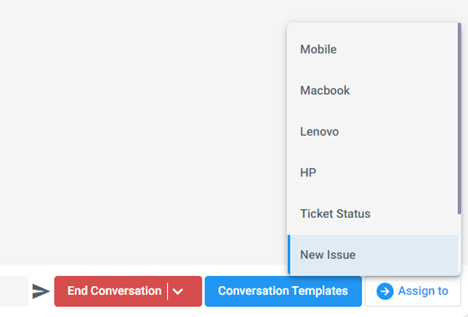
|
3.
|
Select a queue; the chat is assigned to the selected queue and your status reverts to "Ready". |